Dashboard layout
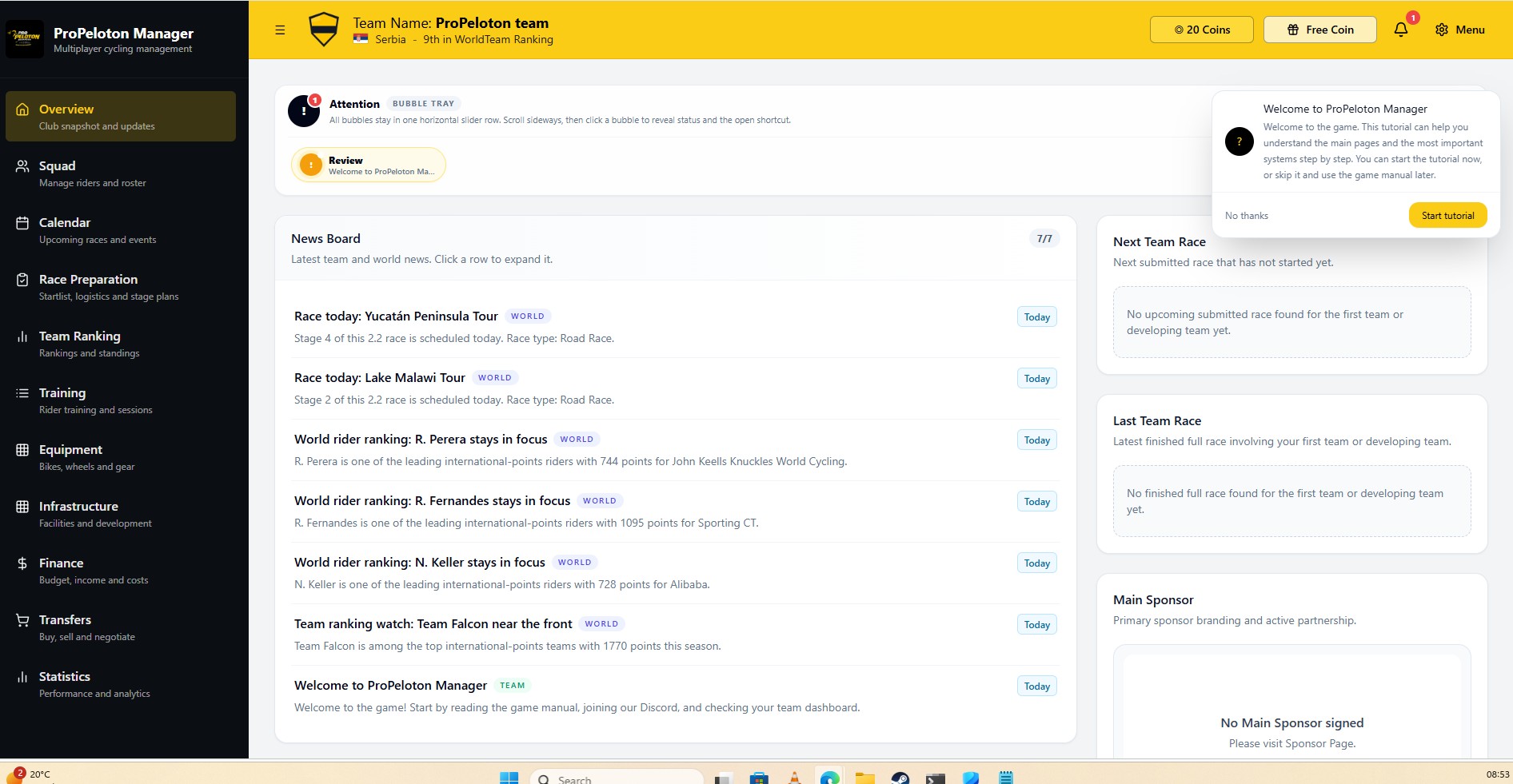
Overview dashboard with club status, race schedule and management
shortcuts.
The real dashboard is divided into clear sections. A typical layout includes:
- Next race panel with date, profile and deadline.
- Club snapshot summarizing reputation, morale and form.
- Training status showing current plans and camps.
- Finance summary with balance and monthly trend.
- Notifications for staff messages, sponsor updates and system alerts.
Why this matters
Cycling management games can be complex. The overview dashboard is
designed to reduce friction: instead of searching through multiple
pages, you get the most important context first.
From here you can jump straight to race preparation, training,
finances or the detailed calendar depending on what needs attention.
Typical actions from this screen
- Open the next race and complete race preparation before the deadline.
- Adjust training if riders are too fatigued or underused.
- Check whether your budget can support a new transfer or staff hire.
- Read and clear key notifications to avoid missing opportunities.
From demo to live gameplay
In the live game, the overview dashboard updates after every race,
training cycle and financial change. It becomes a living summary of
your long-term decisions as a manager.